
Case Study: Glyphboard
Table of Contents
| Profile field | Description |
|---|---|
| Title | Glyphboard |
| Year | 2017 |
| Focus | Integration, Framework |
| Format | Elastic Display wall and tabletop |
| Framework | dSense, ReFlex |
| Sensor | Intel RealSense |
| Architecture | Client-server (.NET/WPF + Angular) |
| Scenario | Interactive visualization of high-dimensional data |
| Features | - separation of the interaction layer - control of a web application - zoomable user interfaces: zoom and pan |
| Publication | Kammer, D., Keck, M., Müller, M., Gründer, T. & Groh, R. (2017): Exploring Big Data Landscapes with Elastic Displays. In: M. Burghardt, R. Wimmer, C. Wolff & C. Womser-Hacker (Eds.): Mensch und Computer 2017 - Workshopband. Spielend einfach interagieren. Bonn, Germany: Gesellschaft für Informatik e. V. (GI). DOI: 10.18420/muc2017-ws08-0342. |
| Repository | reflex-glyphboard |
The fifth case study explored zoomable user interfaces for information visualization. The profile covers the historical dSense and ReFlex iterations, following the conventions in the case study overview. The published repository may include later adaptations.
Research Questions
Glyphboard returned to the exploration of complex information spaces after earlier studies had investigated simpler content and navigation concepts. FlexiWall had identified zoomable user interfaces as a promising scenario, but its layer-based interaction model did not readily support continuous navigation. The single-touch implementation from Interactive Animations provided the initial technical basis.
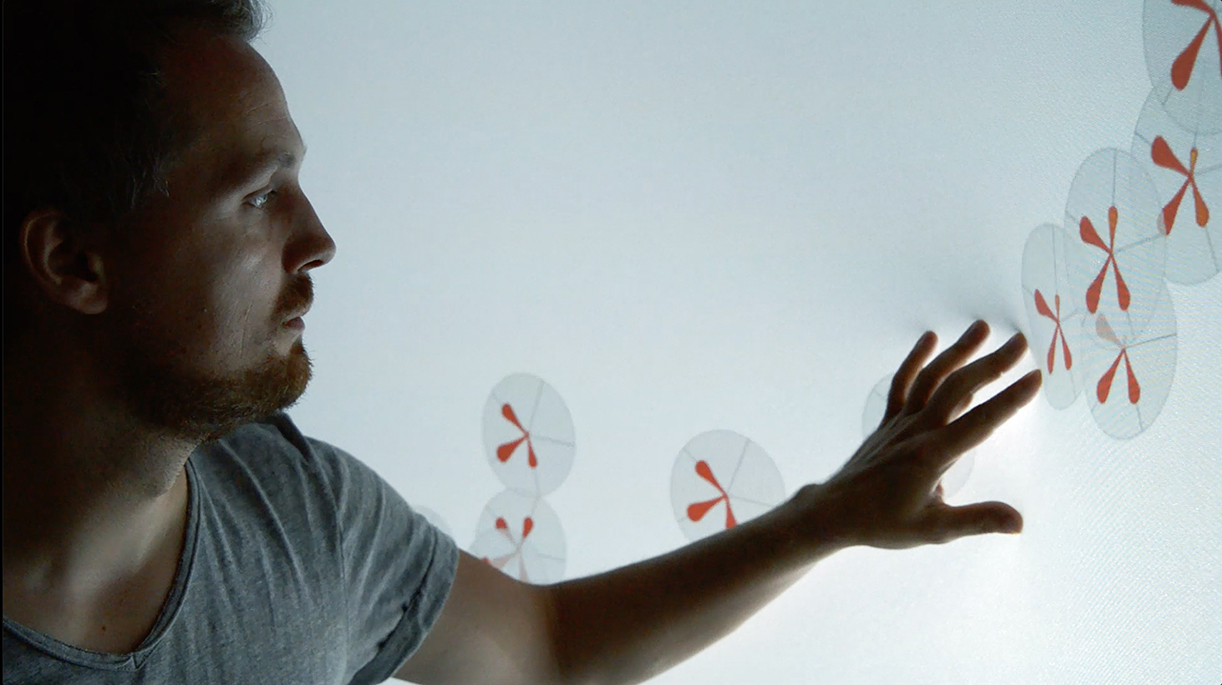
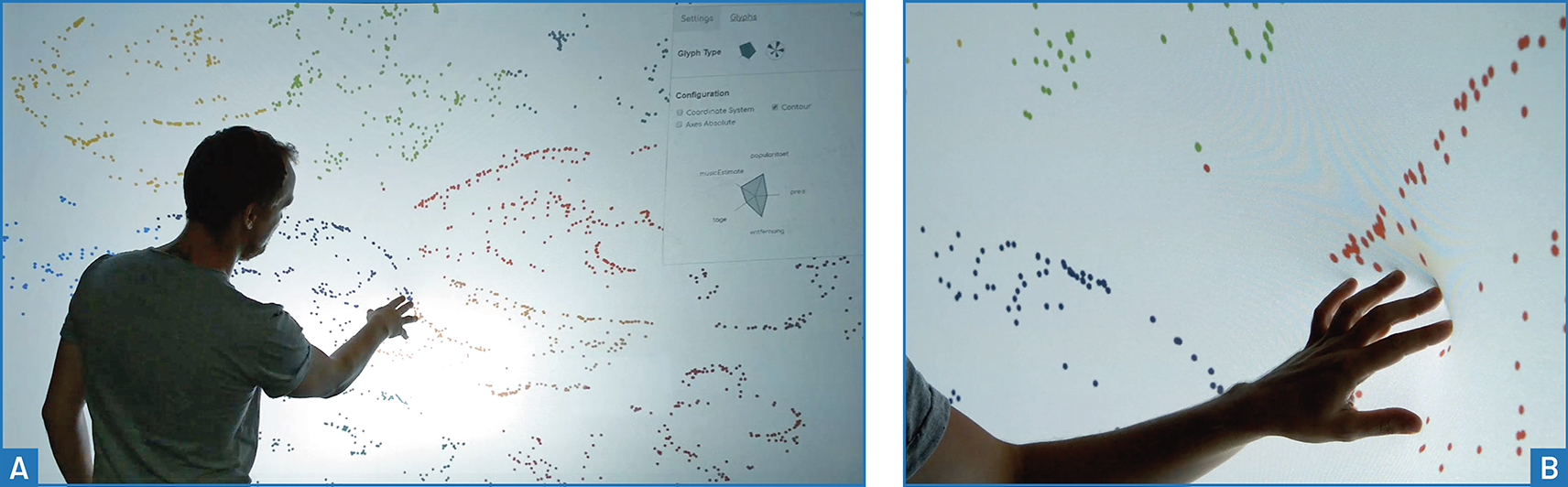
The application context was Glyphboard, a web application developed at the Chair of Media Design at Technische Universität Dresden. It uses dimensionality reduction to visualize multidimensional data as a scatterplot and reveals individual attributes through more detailed glyphs as magnification increases. Although Glyphboard supports both magnifying lenses and full-screen enlargement, this case study concentrated on immersive exploration through continuous full-screen zoom.
Three questions guided the work:
- How can surface deformation control zooming in, zooming out, and resetting the view, while supporting meaningful levels of detail through semantic zoom?
- How can users switch between zoom and pan without a separate, explicit mode-switching action?
- How can an Elastic Display become an optional interaction layer for an existing web application, separating tracking from visualization and mapping continuous deformation to event-based application behaviour?
The central idea was to use deformation to control continuous movement through a virtual data space. This complemented the local selection and inspection concepts explored in the Zoomable Product Browser.
Features and Limitations
Separating Tracking from the Web Application
The main technical contribution was the complete separation of tracking and analysis from the application layer. Components originating in the FlexiWall framework were adapted to a client-server architecture, connecting a .NET/WPF tracking system to an Angular web application.
This required an exchange format for surface pressure points, termed interactions. The first version contained a timestamp and a list of normalized spatial coordinates. Later iterations added touch identifiers, confidence values, and a classification distinguishing inward pushes from outward pulls.
Filtering and smoothing were initially handled by the framework. Gesture recognition was implemented as a separate module in the client application, where detected interactions could be interpreted for the visualization’s navigation controls.
Communication and Configuration
Interaction data was transmitted through WebSockets. The earliest implementation only sent data from the server to the client. Later iterations added bidirectional exchange, particularly for configuration such as calibration data and interaction-area dimensions, as part of the framework’s extension with a REST API.
The architecture allowed Glyphboard’s existing visualization and core behaviour to be reused. Adaptation was confined to an optional Elastic Display interaction layer in the client. The richer interaction format and configuration exchange were subsequent developments, rather than capabilities of the first implementation.
From Single-Touch to Multi-Touch
The initial prototype used single-touch detection for its greater robustness and accuracy and lower latency. This was sufficient for continuous zoom, but restricted the available gestures when panning was introduced. An initial division into central zoom and peripheral pan regions exposed limitations in surface elasticity, sensor coverage, and directional control.
Later iterations therefore used multi-touch detection to distinguish one-point zoom from two-point panning. This expanded the interaction vocabulary, while making reliable contact detection and low latency essential for avoiding unintended mode changes.
Scenario
Data Overview and Semantic Zoom
The starting view was a scatterplot of a preprocessed, clustered dataset. Spatial proximity indicated related items, while colour identified broader group membership. Earlier FlexiWall experiments had compared clustering results; Glyphboard instead supported further exploratory analysis within a complex dataset.

Semantic zoom progressively revealed the dimensions of individual items at configurable magnification thresholds:
| Detail level | Data representation |
|---|---|
| 1: Overview | Coloured points showed the distribution of items and their cluster membership. |
| 2: Attributes | Flower glyphs or star plots exposed individual data dimensions. |
| 3: Detailed inspection | The glyph representation gained data axes to support closer inspection. |
Continuous Zoom Control
Pressing into the surface moved continuously into the point cloud. Deformation depth controlled zoom speed, with an exponential mapping allowing fine adjustments under shallow deformation and rapid enlargement under deeper deformation. Depth therefore controlled the rate of movement, rather than selecting a fixed magnification directly.
Pulling the membrane outward zoomed out. Initially, pulling beyond a depth threshold also reset the zoom factor to its default value. A later gesture replaced this reset mechanism to reduce the need to grasp and pull the fabric.
Panning with One or Two Contacts
In the first panning implementation, contact position selected the operation: pressing the centre zoomed, while pressing near an edge moved the view towards that edge. Panning was continuous, with speed controlled by deformation depth. Higher fabric tension at the edges left little depth available for speed adjustment, and the implementation restricted movement to one axis at a time.
The multi-touch version switched to panning when two pressure points were detected. The shallower contact acted as an anchor. The vector from this anchor to the deeper contact determined direction, and the deeper contact’s depth controlled speed.
Moving a contact laterally adjusted direction; reversing the contacts’ relative depths reversed movement. Adding or removing a second contact enabled transitions between pan and zoom without selecting a separate interface control.
Hover, Feedback, and Reset
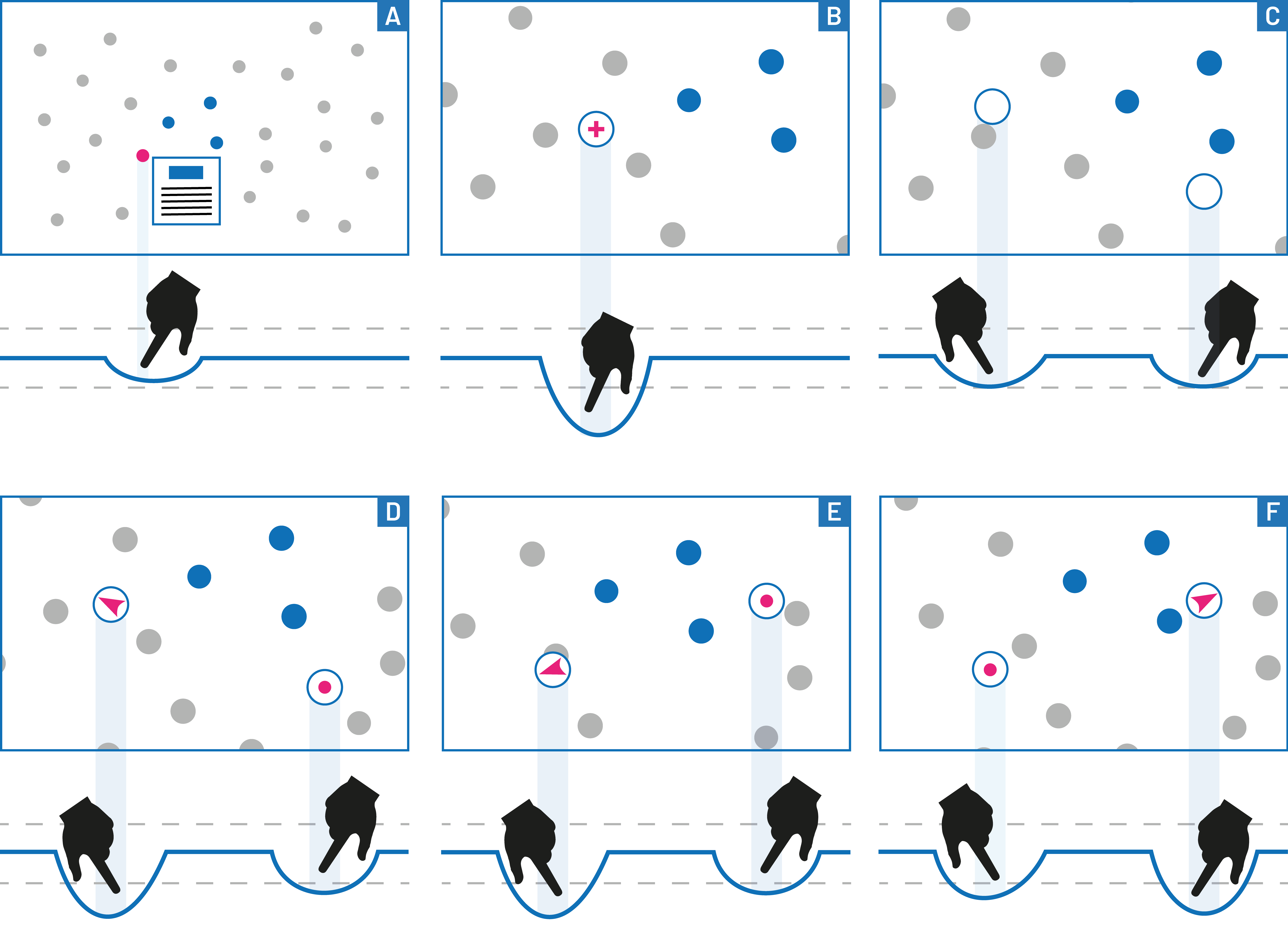
The refined interaction introduced a shallow-deformation range before zoom began. Within this range, the application displayed details for the nearest data point in the vicinity of the detected position, providing a hover effect. Further deformation crossed the zoom threshold.
Visual feedback identified the current operation: a cursor and contextual information for hover, an anchor and directional arrows indicating movement and speed for panning, and a magnifying-glass icon for zoom.
The later reset gesture used three rapid presses. When deformation exceeded a configurable amplitude three times within a configurable time interval, both zoom and pan returned to their initial values. This offered a way to return to the overview and explore another region without pulling the membrane.

Findings and Discussion
The following section provides exploratory observations about the interaction concepts and implementation.
Integration and Reuse
Separating tracking from the application demonstrated that an existing web visualization could be adapted through an optional interaction layer. Defining a shared interaction format was central to this reuse and established a concrete basis for communication between framework and application.
Navigation and Physical Constraints
Edge-based panning was simple and robust to detect, but peripheral fabric tension, incomplete sensor coverage, and reduced tracking precision constrained its usefulness. Reserving edges for panning also reduced the area available for zoom, particularly with the limited image height of a 16:9 projection. Changing direction could require moving a hand to another side of the table.
Using a vector between the edge contact and the display centre was proposed to remove the axis restriction, but would not resolve these ergonomic limitations.
The two-handed gesture was also reported as robust and usable after brief familiarization. With practice, users could switch smoothly between zoom and pan, make small directional adjustments, and reverse movement. Direction changes between approximately 30 and 150 degrees nevertheless produced circular movement, making it preferable to restart the gesture. The distance between contacts was identified as a possible additional control parameter, rather than a demonstrated mapping.
Unintended zoom occurred when one contact was lost or the relatively passive anchor hand fell below the hover threshold. These observations underline the importance of low latency and reliable interpretation of transitions between one and two contacts.
Hover and Gesture Ambiguity
Hover received positive feedback. Selecting the nearest nearby data point reduced targeting errors. However, hover could also appear during an intended zoom gesture, especially as the hand was released. At the start of a press, latency introduced by confidence filtering and smoothing often caused the shallow hover range to be skipped.
Restricting hover to the inward phase of a press was proposed as a remedy for unwanted activation on release. This was a conceptual improvement, not an implemented result reported by the study.
The repeated-press reset was easy and ergonomic to perform, but recognition was not consistently successful. Individual differences in speed and the masking of presses by confidence filtering affected detection. Overlap with other gestures also produced distracting visual responses. More precise feed-forward during execution was proposed to guide timing and help distinguish reset from other interactions.
Implications for Framework Development
For the forthcoming requirements analysis, the study provides evidence for the following areas:
- Independent interaction and visualization layers: Allow existing applications to consume Elastic Display input through an optional adapter, while retaining their rendering and application logic.
- Shared interaction data: Communicate normalized positions and timing, with identifiers, confidence, and push/pull classification supporting more demanding client interactions.
- Communication and configuration: Support continuous interaction delivery and the exchange of calibration and interaction-area settings across component boundaries.
- Configurable processing: Balance noise suppression and stability against latency and the preservation of short gesture events.
- Application-level gesture interpretation: Support continuous parameter control, configurable thresholds and timing, and reliable transitions between contact counts and gesture phases.
- Feedback and physical constraints: Make interaction state visible and account for uneven deformability, peripheral sensing limitations, and the difficulty of pulling the surface.
These implications connect the prototype’s observed capabilities and limitations to framework design. They distinguish implemented iterations from proposed improvements and provide evidence for deriving requirements.