
Case Studies: Other Prototypes
Table of Contents
These smaller prototypes explored specific technological and conceptual approaches, addressing open questions identified during model development. They also served to validate the ReFlex framework in practical use and were demonstrated at selected events to gather user feedback.
EscapeRoom
| Profile field | Description |
|---|---|
| Title | EscapeRoom |
| Year | 2022 |
| Focus | Concept, Integration |
| Format | Elastic Display tabletop |
| Framework | ReFlex |
| Sensor | Microsoft Azure Kinect |
| Architecture | Client-server (ASP.NET Core + Angular + TactJam) |
| Scenario | Spatial interaction in a game scenario |
| Features | - spatial interaction metaphors - vibrotactile feedback |
| Publication | Müller, M. & Kammer, D. (2022): Augmenting Elastic Displays with Active Vibrotactile Feedback. In: C. Marky, U. Grünefeld & T. Kosch (Eds.): Mensch und Computer 2022 - Workshopband. Bonn, Germany: Gesellschaft für Informatik e. V. (GI). DOI: 10.18420/muc2022-mci-ws04-359. |
Research Questions
EscapeRoom explored spatial interaction metaphors in a web-based game. It combined lateral movement, inward pressing, and outward pulling with active vibrotactile cues to support gesture execution and communicate interaction outcomes.
Features and Limitations
The implementation combined an ASP.NET Core server with an Angular client. An interface between ReFlex and TactJam controlled vibration motors mounted along the edges of the fabric.
Vibrations served as feed-forward during gesture execution, as feedback when a gesture was completed, and as cues suggesting physical resistance. The integration therefore extended the display’s interaction with actively generated tactile signals.
Scenario
Players manipulated objects through several deformation-based gestures:
| Interaction | Effect in the game |
|---|---|
| Move the pressure point laterally | Pull an object open through a spatial swipe gesture. |
| Repeatedly press inward and pull outward (“pumping”) | Dig objects free. |
| Pull outward | Pick up objects. |
| Press lightly | Touch objects. |
| Press more deeply | Continuously manipulate objects to move or break them open. |
Vibrotactile cues accompanied these gestures, connecting their execution and completion with the game’s spatial interaction metaphors.
FlightSim

| Profile field | Description |
|---|---|
| Title | FlightSim |
| Year | 2022 |
| Focus | Concept, Integration |
| Format | Elastic Display wall |
| Framework | ReFlex |
| Sensor | Microsoft Azure Kinect |
| Architecture | Client-server (ASP.NET Core + three.js) |
| Scenario | Immersive flight control |
| Features | - gestures for steering and controlling the speed of flying objects - partitioning of the interaction space |
| Publication | Müller, M., Kammer, D., Grimm, L., Fabian, K. & Simon, D. (2022): ReFlex Framework: Rapid Prototyping for Elastic Displays. In: P. Bottoni & E. Panizzi (Eds.): AVI 2022: Proceedings of the 2022 International Conference on Advanced Visual Interfaces. New York, NY, USA: ACM. DOI: 10.1145/3531073.3534482. |
Research Questions
FlightSim explored remote control of flying or hovering objects through an Elastic Display. Its interaction concept investigated how different deformation-depth ranges could distinguish looking around from controlling movement.
Features and Limitations
The prototype used ReFlex with an ASP.NET Core server and a three.js client. A procedurally generated landscape provided an immersive view from the flying object’s perspective, with flight along the virtual space’s depth axis.
The control concept assumed that the object did not need to move backwards. It partitioned the interaction space into two depth ranges, assigning different controls to shallow and deeper pressing.
Scenario
| Interaction | Effect in the simulation |
|---|---|
| Press lightly | Change the viewing direction without changing the direction of movement. |
| Press more deeply | Control speed and flight direction. |
Steering followed a joystick-like mapping: the direction vector was the difference between the centre of the display and the pressure-point position, considering only displacement within the display plane.
MIReFlex
| Profile field | Description |
|---|---|
| Title | MIReFlex |
| Year | 2023 |
| Focus | Concept, Integration |
| Format | Elastic Display tabletop |
| Framework | ReFlex |
| Sensor | Microsoft Azure Kinect |
| Architecture | Client-server (ASP.NET Core + Unreal Engine 5) |
| Scenario | Control of spatial audio sources |
| Features | - integration into a multisensory interaction room - linking different user perspectives |
Research Questions
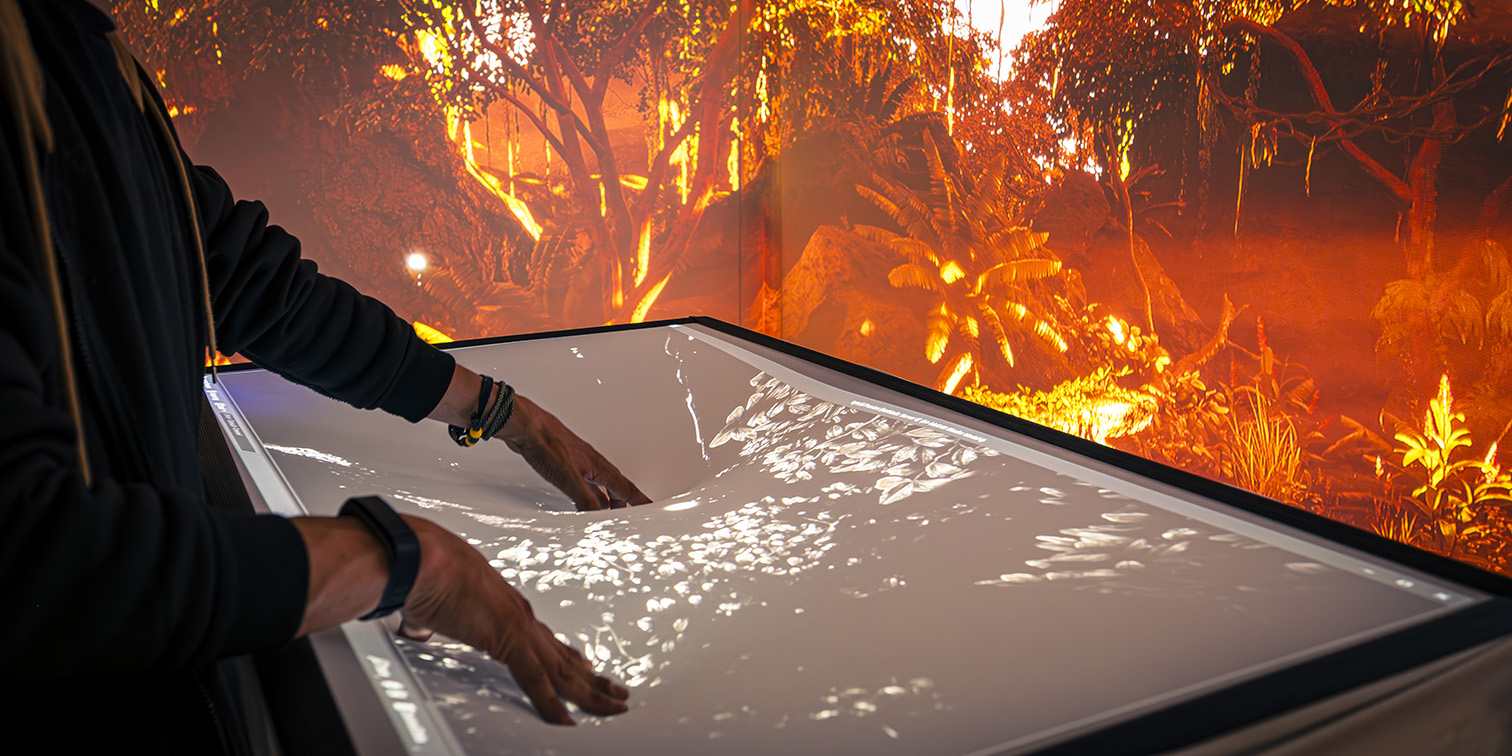
MIReFlex explored using an Elastic Display to position spatial audio sources within a multisensory interaction room (Mehrsinnlicher Interaktionsraum, MIR). It connected a tabletop view of the virtual environment with an immersive surrounding projection.
Features and Limitations
The installation combined an Elastic Display tabletop with a 270° surrounding projection. The implementation used a distributed multiplayer application in Unreal Engine 5, with different roles assigning the views and rendering paths for the surrounding environment and the tabletop. Content was synchronized between the two systems.
The Elastic Display was integrated through the Unreal Engine plugin developed as part of ReFlex.
Scenario
The tabletop displayed a stylized overhead view of the virtual environment. Users positioned audio objects on this three-dimensional map by pressing into the surface; deformation depth controlled their height in the virtual scene. The tabletop thus provided a spatial control view linked to the room’s immersive presentation.
Implications for Framework Development
Student development projects provided practical feedback on ReFlex’s tools and their accessibility to new developers. Each explored a complete design and implementation cycle, with the emphasis on validating methods and tools rather than iteratively refining the application scenario. Their feedback informed subsequent framework development:
- Emulation and physical prototyping: The emulator enabled much of the implementation without access to the installation. In theory, in a final session on the tabletop only gesture speed, dwell times, and depth thresholds need to be adjusted quickly. However, emulation alone could obscure physical constraints: EscapeRoom developers initially treated pulling and pressing as equally accessible, although grasping the real fabric was harder and less precise. Emulator-based development therefore needed to be complemented by early prototyping on an elastic surface.
- Recording and replay of gestures: FlightSim used recorded surface interactions alongside the emulator. Uneditable pauses at the beginning and end of recordings and large files containing complete depth images limited their usefulness. EscapeRoom also exposed the difficulty of emulating gestures with several hands. These observations motivated a dedicated gesture-recorder tool.
- Application templates and interface documentation: Feedback from students led to HTML/JavaScript and React/Redux templates. Documentation of interfaces and data formats was improved, and test requests for the REST API, WebSocket, and SignalR interfaces were prepared in Insomnia and stored as JSON in the repository.
- Platform support and emulator performance: EscapeRoom provided an opportunity to test and improve use on macOS and to address emulator performance on mobile devices. Students reported successful collaboration across Windows, macOS, and Linux, providing practical evidence of progress in portability.
- Reusable components and collaborative development: Students exercised the Angular component library and contributed its implementation through a repository fork and pull request. They valued the configuration interface’s point-cloud visualization and the basic HTML template. Incomplete component documentation, individual bugs, and a complicated Angular setup nevertheless showed where reuse and onboarding still needed improvement.
- Communication stability and feedback across projects: WebSocket head-of-line blocking was reported during extended development and debugging of student projects. Its relevance to ordinary application development was considered lower. FlightSim’s feedback on the limitations of the earlier FlexiWall environment also informed the Layers application being developed in parallel. Such findings made student projects a continuing source of error reports and requirements for both shared tools and applications.
These experiences supported the usefulness of the framework and its development tools while identifying specific limitations. Many reported issues were addressed during subsequent development; the accounts do not establish that every limitation was resolved. They also showed that software tooling and physical interaction prototyping needed to develop together.